-

An Overview of Perusall
Overview Perusall is a free “social annotation” tool that helps students engage with course material in class groups. When integrated with HuskyCT, instructors can create reading or viewing assignments in which students create & share their own annotations and respond to each other’s comments and questions. Perusall informs instructors of the concepts that generate the most student questions & discussion, and Perusall can assist instructors score assignments quickly and efficiently. Perusall also reminds students of incomplete assignments, prompting higher rates of completion and preparedness.
-
An Overview of VoiceThread
Overview VoiceThread is an asynchronous discussion and presentation tool that is integrated into HuskyCT (Blackboard). A VoiceThread is a collaborative multimedia slide-based presentation that can include materials such as PowerPoint slides, images, documents, videos, audio files, and other audio-visual content. Users can engage with the content and each other using video-, audio-, and text-based interactions. Online instructors can leverage VoiceThread to create asynchronous discussions, deliver interactive lectures, or facilitate group projects. Its flexibility supports diverse learning styles and encourages participation, making it an ideal tool for building community in online courses.
-

Copyright in Online Courses: Using Free Content Legally
Overview This article provides an overview of common concepts related to copyright in online courses and shares best practices for finding and using free educational materials.
-

Creating & Managing Videos for Online Teaching & Learning
Overview Videos are gaining ground in online education as a result of their versatility in promoting learning, satisfaction, engagement, and interest (LSEI; Costley & Lange, 2017). With this fast-growing dependence on videos, online educators need to become mindful of what constitutes quality videos and how they are best integrated into online content delivery and interaction.
-

Deciding on Instructional Materials
Overview This article provides instructional material alternatives, with examples, for use in online, hybrid, and in-person courses. Three options will be considered. Should you “make”, “buy” or look for “free” materials that support your learning objectives?
-
eCampus Accessibility Checklist and Guide
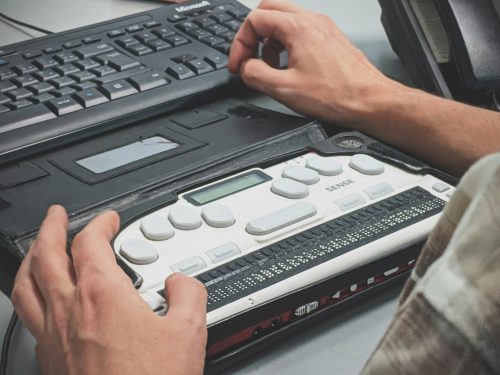
Overview This post provides a guide to implementing the eCampus Accessibility Checklist, including disabilities and common barriers, accessibility frameworks, rationale for accessibility standards, and resources for implementation.
-

FAQs About Videos for Online Teaching and Learning
Overview This post is a collection of Frequently Asked Questions (FAQs) pertaining to creating videos for online courses.
-

Finding and Using Free Images
Overview Without licensing (i.e., permission from the copyright holder), uploading copyrighted material to HuskyCT (Blackboard) violates copyright law. Copyright issues often arise when it comes to using images in courses, as placing copyrighted images in documents and HuskyCT is considered unauthorized copying and distribution. Any images used in online courses must be licensed for this purpose. This post shows how to find, use, and cite free images that support learning in online courses legally.
-

Self-Guided Course Design and Development
Overview This post guides UConn faculty in designing, building, and teaching online and hybrid courses. Please refer to UConn Registrar’s Course Modalities for a complete explanation of each instructional approach. The phases outlined are intended for faculty with a strong background in teaching and pedagogy who are already comfortable using HuskyCT. To learn more about the skills and knowledge needed, refer to UConn Competencies for Online and Hybrid Instruction. We encourage faculty who prefer a more guided support model to review the phases outlined in this site and then contact eCampus to work with one of our staff members.
-

Types of Videos for Online Teaching & Learning
Overview Videos can be used for a variety of purposes in online courses, and different set-ups are required to achieve these goals. This article will review the types of videos used in online courses and provide examples.