-

An Overview of Perusall
Overview Perusall is a free “social annotation” tool that helps students engage with course material in class groups. When integrated with HuskyCT, instructors can create reading or viewing assignments in which students create & share their own annotations and respond to each other’s comments and questions. Perusall informs instructors of the concepts that generate the most student questions & discussion, and Perusall can assist instructors score assignments quickly and efficiently. Perusall also reminds students of incomplete assignments, prompting higher rates of completion and preparedness.
-
An Overview of VoiceThread
Overview VoiceThread is an asynchronous discussion and presentation tool that is integrated into HuskyCT (Blackboard). A VoiceThread is a collaborative multimedia slide-based presentation that can include materials such as PowerPoint slides, images, documents, videos, audio files, and other audio-visual content. Users can engage with the content and each other using video-, audio-, and text-based interactions. Online instructors can leverage VoiceThread to create asynchronous discussions, deliver interactive lectures, or facilitate group projects. Its flexibility supports diverse learning styles and encourages participation, making it an ideal tool for building community in online courses.
-

Collaborative (Group) Learning Online
Overview Collaborative learning, also known as group learning, is an opportunity for students to develop higher-order cognitive skills, promote connections and community, and engage with different perspectives. To facilitate student collaboration online, it requires designing the activity as well as selecting the best technology to connect students.
-

Copyright in Online Courses: Using Free Content Legally
Overview This article provides an overview of common concepts related to copyright in online courses and shares best practices for finding and using free educational materials.
-

Creating and Managing Videos for Online Teaching an Learning
Overview Videos are gaining ground in online education as a result of their versatility in promoting learning, satisfaction, engagement, and interest (LSEI; Costley & Lange, 2017). With this fast-growing dependence on videos, online educators need to become mindful of what constitutes quality videos and how they are best integrated into online content delivery and interaction.
-

Designing & Developing Online Assessments
Overview This article describes research-based recommendations for designing, developing, and implementing assessments in online courses.
-

eCampus Accessibility Checklist and Guide
Overview This post provides a guide to implementing the eCampus Accessibility Checklist, including disabilities and common barriers, accessibility frameworks, rationale for accessibility standards, and resources for implementation.
-

FAQs About Videos for Online Teaching and Learning
Overview This post is a collection of Frequently Asked Questions (FAQs) pertaining to creating videos for online courses.
-

Finding and Using Free Images
Overview Without licensing (i.e., permission from the copyright holder), uploading copyrighted material to HuskyCT (Blackboard) violates copyright law. Copyright issues often arise when it comes to using images in courses, as placing copyrighted images in documents and HuskyCT is considered unauthorized copying and distribution. Any images used in online courses must be licensed for this purpose. This post shows how to find, use, and cite free images that support learning in online courses legally.
-

How Rubrics Help Faculty and Students
Overview This article explains rubrics, types of rubrics, outlines how rubrics may benefit both faculty and students, and provides a few HuskyCT example rubrics.
-

Self-Guided Course Design and Development
Overview This post guides UConn faculty in designing, building, and teaching online and hybrid courses. Please refer to UConn Registrar’s Course Modalities for a complete explanation of each instructional approach. The phases outlined are intended for faculty with a strong background in teaching and pedagogy who are already comfortable using HuskyCT. To learn more about the skills and knowledge needed, refer to UConn Competencies for Online and Hybrid Instruction. We encourage faculty who prefer a more guided support model to review the phases outlined in this site and then contact eCampus to work with one of our staff members.
-
Specifications Grading: A Method to Improve Student Performance
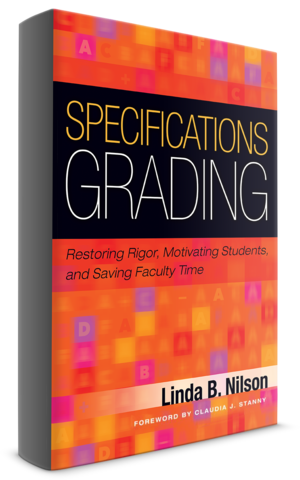
Overview Are you looking to increase student motivation and the quality of their academic work? If yes, consider specifications grading. According to Linda B. Nilson, Ph.D., the traditional higher education grading method is broken and specifications grading offers a solution with benefits for both students and faculty. Nilson published her seminal work, Specifications Grading: Restoring Rigor, Motivating Students and Saving Faculty Time, in 2015. Since then, faculty have adopted her method, including some at UConn.
-

Syllabus Template for Online Courses
Overview eCampus offers a syllabus template for instructors teaching online, which meets accessibility requirements for online courses. This article describes how to download and use the template to create your syllabus.
-

Types of Videos for Online Teaching & Learning
Overview Videos can be used for a variety of purposes in online courses, and different set-ups are required to achieve these goals. This article will review the types of videos used in online courses and provide examples.
-

Using AI Conversations in Blackboard Ultra
Overview: What Are AI Conversations? AI Conversations in Blackboard Ultra allow instructors to create interactive chat-based learning activities using structured personas, scenarios, student roles and reflections. These conversations simulate authentic interactions—such as roleplays, case studies, peer mentoring, or Socratic questioning—to strengthen critical thinking and formative practice. This aligns with UConn’s priorities for purposeful GenAI integration, transparency, and human‑in‑the‑loop oversight. Blackboard reinforces this at the start of every AI Conversation with a clear disclosure: ‘My responses are generated by AI and therefore may contain bias or inaccuracies.’ With that reminder in mind, let’s explore what we can do with this tool.
-

Using GenAI for Course Design
Overview This article describes how faculty can complete many course design tasks with the help of generative AI tools (GenAI). This guidance provides examples of AI prompts following research-backed best practices for the design of quality educational experiences.
-

Using the eCampus HuskyCT Template
Overview The eCampus HuskyCT template is an organized and student-friendly structure which can be copied into another HuskyCT site. The template requires editing and basic building skills in HuskyCT (Ultra Course View). Refer to the resources listed within this article for assistance with various aspects of HuskyCT. Before building a course in HuskyCT, complete a Course Design Plan to map out the alignment of course components and ensure a structured framework. Once the Course Design Plan is complete, follow the steps to build the course in HuskyCT.
-

Writing Effective Multiple Choice Questions
Overview This article provides guidelines for constructing multiple choice assessment questions. While multiple choice questions can be used to measure a number of different learning outcomes, the validity of these assessments is greatly influenced by how well the questions are constructed. Use this guide to write multiple choice questions for both lower and higher level learning outcomes.